
Common Amazon Seller Mistakes That Could Be Costing You Sales

Amazon seller mistakes are costing most sellers sales every day. Fixing these Amazon seller mistakes can move a product from page five to the first page, often within weeks. Small errors in your listing, pricing, ads, or inventory send shoppers to competitors, even when your product is great. In this guide, you will learn ten common errors, why each one hurts, and how to fix it. It works whether you sell with FBA or FBM.
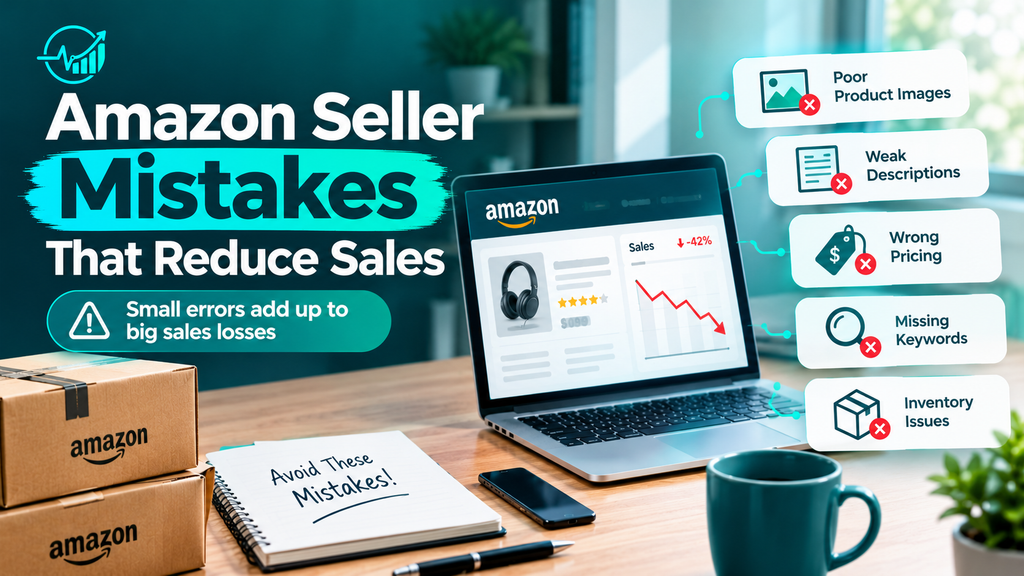
What You’ll Learn in This Guide
- Listing and Visibility Amazon Seller Mistakes
- Pricing and Advertising Amazon Seller Mistakes
- Operations and Compliance Errors That Hurt Trust
- Growth Mistakes Amazon Sellers Make
- Amazon Seller Mistakes vs. Fixes: Quick Reference
- Pro Tips to Avoid Amazon Seller Mistakes
- Conclusion and FAQs
Listing and Visibility Amazon Seller Mistakes
Shoppers must find your product before they can buy it. Therefore, these three errors cost the most sales.
1. Poor Product Listing Optimization
Many sellers publish a short title, vague bullets, and a thin description. As a result, buyers cannot tell what the product does, and Amazon cannot match it to searches. A weak listing also lowers your conversion rate, which pushes your ranking down even further. On mobile, shoppers often see only the first 60 to 80 characters of a title
How to fix it:
- Put the main keyword and top benefit at the start of the title.
- Write five bullets, and lead each one with a single benefit.
- Use the description to answer common buyer questions
For example, “Silicone Baby Shower Cap, Adjustable Hair Washing Visor for Kids” outperforms “Baby Cap Pink.” In addition, read Amazon’s listing quality guidelines before you publish.
2. Ignoring Keyword Research
Guessing keywords is one of the most expensive selling mistakes on Amazon. If you skip research, shoppers who type real search phrases never see your listing. Meanwhile, competitors capture those clicks. Your product may be better, but nobody can buy what they cannot find.
How to fix it:
- Use Amazon’s search bar suggestions to find phrases buyers actually type.
- Study top competitor listings for terms you missed.
- Add backend search terms, and do not repeat words already in your title.
- Review your keywords every quarter, because search trends shift
Our Amazon keyword research guide shows this process step by step.
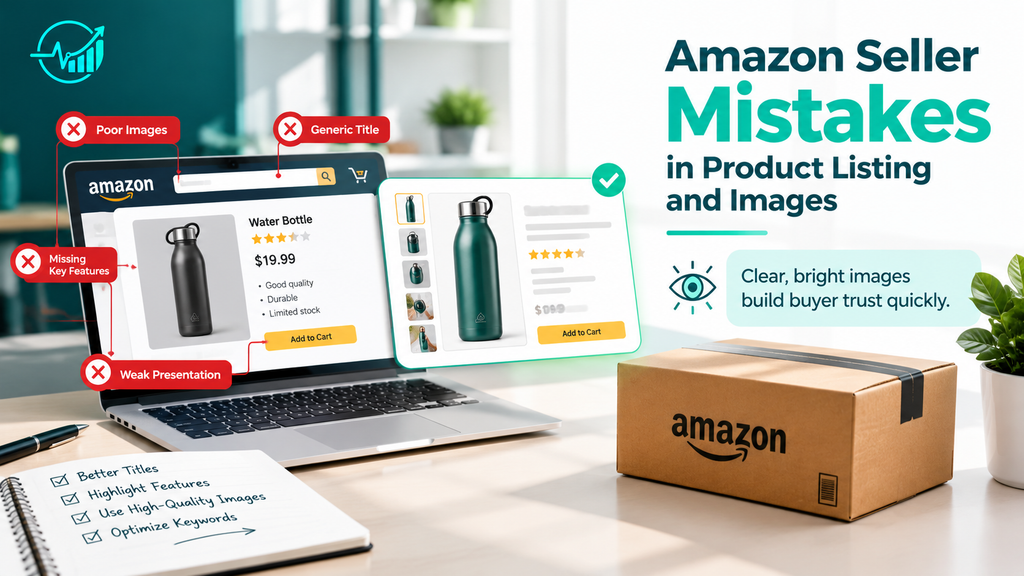
3. Low-Quality Product Images
Buyers cannot touch your product, so your images do the selling. Blurry photos, cluttered backgrounds, and a single image make a listing look risky. Consequently, shoppers leave for a competitor with clearer visuals. Images are also the first thing people notice in search results, so a weak main image lowers your click-through rate.
How to fix it:
- Upload at least seven images, including a pure white main image.
- Add lifestyle shots, size comparisons, and infographics.
- Use images of at least 1,000 pixels so shoppers can zoom.
- Show the product in use, not only on a plain background
What You’ll Learn in This Guide
- Listing and Visibility Amazon Seller Mistakes
- Pricing and Advertising Amazon Seller Mistakes
- Operations and Compliance Errors That Hurt Trust
- Growth Mistakes Amazon Sellers Make
- Amazon Seller Mistakes vs. Fixes: Quick Reference
- Pro Tips to Avoid Amazon Seller Mistakes
- Conclusion and FAQs
Operations and Compliance Errors That Hurt Trust
Behind-the-scenes errors often do the most damage, because they affect ranking and account safety.
6. Poor Inventory Management
Stockouts kill your ranking, and recovery can take weeks. Excess stock is just as risky, because it ties up cash and triggers storage and aged-inventory fees. Many sellers swing between the two extremes. Fortunately, a simple system prevents both.
How to fix it:
- Track sales velocity and set a reorder point for every product.
- Order with lead times in mind, including shipping and customs delays.
- Clear slow movers with a promotion before storage fees rise.
7. Ignoring Customer Reviews and Feedback
Negative reviews often reveal the exact problem with your product or packaging. If you ignore them, the same issue repeats, and your rating keeps dropping. A lower rating then reduces clicks and conversions. As a result, even good ads stop working.
How to fix it:
- Read new reviews weekly and look for patterns.
- Fix product, sizing, or packaging problems quickly.
- Use Amazon’s “Request a Review” button on eligible orders.
- Answer customer questions on your listing.
8. Violating Amazon Policies and Risking Suspension
Fake reviews, misleading claims, and misused categories can suspend your account without warning. Then you lose all sales overnight, and funds may be held. Many sellers break rules by accident, usually because they never read the policies
How to fix it:
- Study the rules in Seller University.
- Never offer incentives or refunds in exchange for reviews.
- Check Account Health weekly and respond to warnings fast.
- Keep supplier invoices ready in case Amazon asks for proof.
Growth Mistakes Amazon Sellers Make
Finally, long-term growth needs data and a brand that buyers recognize.
9. Not Tracking Analytics and Key Metrics
Without data, you are guessing. Sellers who skip reports miss clear warning signs, such as falling conversion or rising returns. Consequently, they fix the wrong problem. Small changes in numbers often show up weeks before sales drop.
How to fix it:
- Track conversion rate, sessions, ACoS, and return rate.
- Review the Business Reports in Seller Central every week.
- Compare results before and after each listing change.
- Write down what you changed and when.
10. Neglecting Brand Registry and Brand Building
Without brand protection, hijackers and copycats can steal your listing. Moreover, you miss tools that lift conversions. Sellers with no brand compete only on price, and that is a race to the bottom.
How to fix it:
- Apply through Amazon Brand Registry once you have a trademark.
- Add A+ Content and a Brand Store.
- Use consistent branding on packaging, images, and inserts.

New to selling? Start with our Amazon FBA guide for beginners and our Amazon listing optimization checklist.
Amazon Seller Mistakes vs. Fixes: Quick Reference
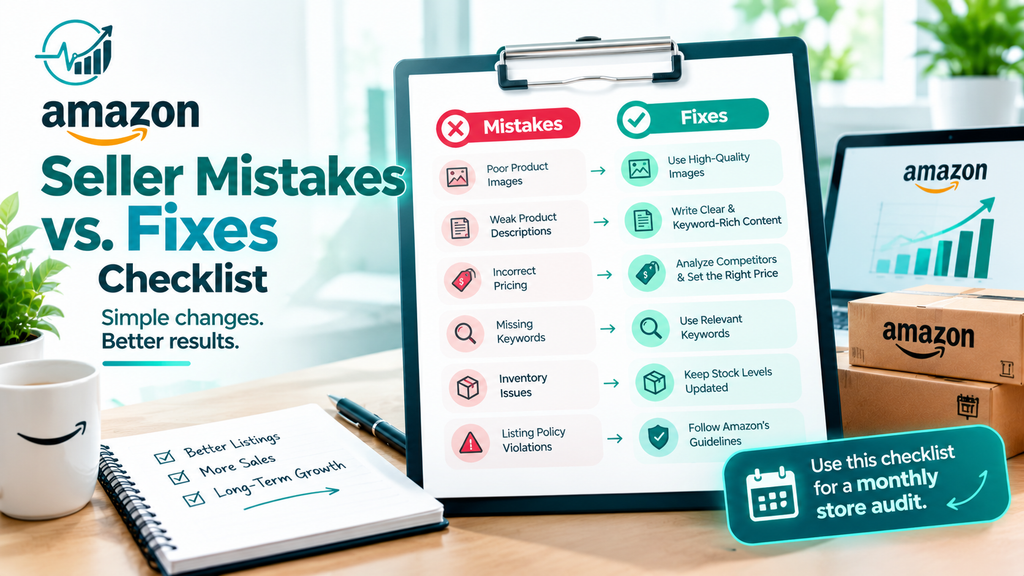
Use this table to spot Amazon seller mistakes at a glance.
| Mistake | Quick Fix |
|---|---|
| Weak listing | Keyword-rich title, benefit-led bullets |
| No keyword research | Use search suggestions and competitor terms |
| Poor images | Seven or more clear images with lifestyle shots |
| Wrong pricing | Price after fees, test small changes |
| Messy PPC | Exact match plus weekly negative keywords |
| Stockouts or overstock | Set reorder points, clear slow stock |
| Ignored reviews | Read weekly, fix recurring issues |
| Policy violations | Follow Seller University rules |
| No tracking | Review Business Reports weekly |
| No brand | Register your brand, add A+ Content |
Pro Tips to Avoid Amazon Seller Mistakes
These habits help you prevent Amazon seller mistakes before they cost money.
- Audit monthly. Pick one listing and fix its weakest part.
- Change one thing at a time. Then you know what worked.
- Keep 30 to 45 days of buffer stock. This protects your ranking.
- Spend ad money on proven keywords first. Scale after results appear.
- Save screenshots of every policy warning. They help if you need to appeal.
Conclusion: Fix Your Amazon Seller Mistakes Today
Most sales problems come from simple, fixable errors. Review your listing, pricing, ads, inventory, and brand protection one step at a time. Fixing even three of these Amazon seller mistakes can raise your traffic and conversions within weeks. Start today by auditing your best-selling product. Then share this guide with another seller who needs it.
Frequently Asked Questions About Amazon Seller Mistakes
What is the biggest mistake new Amazon sellers make?
The biggest mistake is launching without keyword research and a profit calculation. New sellers often guess keywords and forget fees. As a result, they get little traffic and thin margins. Research first, then set your price based on real costs.
Why are my Amazon sales dropping?
Common causes include a lost Buy Box, stockouts, new competitors, weaker ranking, or negative reviews. Check your inventory, price, and ad performance first. Then compare this month’s Business Reports with last month’s to find the exact change.
How can I avoid Amazon account suspension?
Follow Amazon’s policies, avoid review manipulation, and sell only authentic products. Check Account Health weekly. Respond quickly to warnings with a clear plan of action. Keeping invoices and supplier records also protects you during appeals.
How much should I spend on Amazon PPC?
Start small, around $10 to $20 per day for one product. Then adjust using ACoS and profit margin. If a keyword converts at a profitable ACoS, increase its budget. Cut spending on keywords that get many clicks and no sales.
Is selling on Amazon still profitable?
Yes, but it rewards careful sellers. Competition is higher, so margins depend on good listings, smart pricing, and controlled ad spend. Sellers who track metrics and avoid common errors still build profitable stores.
How do I improve my Amazon listing ranking?
Use strong keywords in your title and bullets, add quality images, and keep your price competitive. Gather honest reviews and avoid stockouts. In addition, run targeted PPC to build early sales history, which helps organic ranking.